Events | 2023 | Frontend Engineer
View live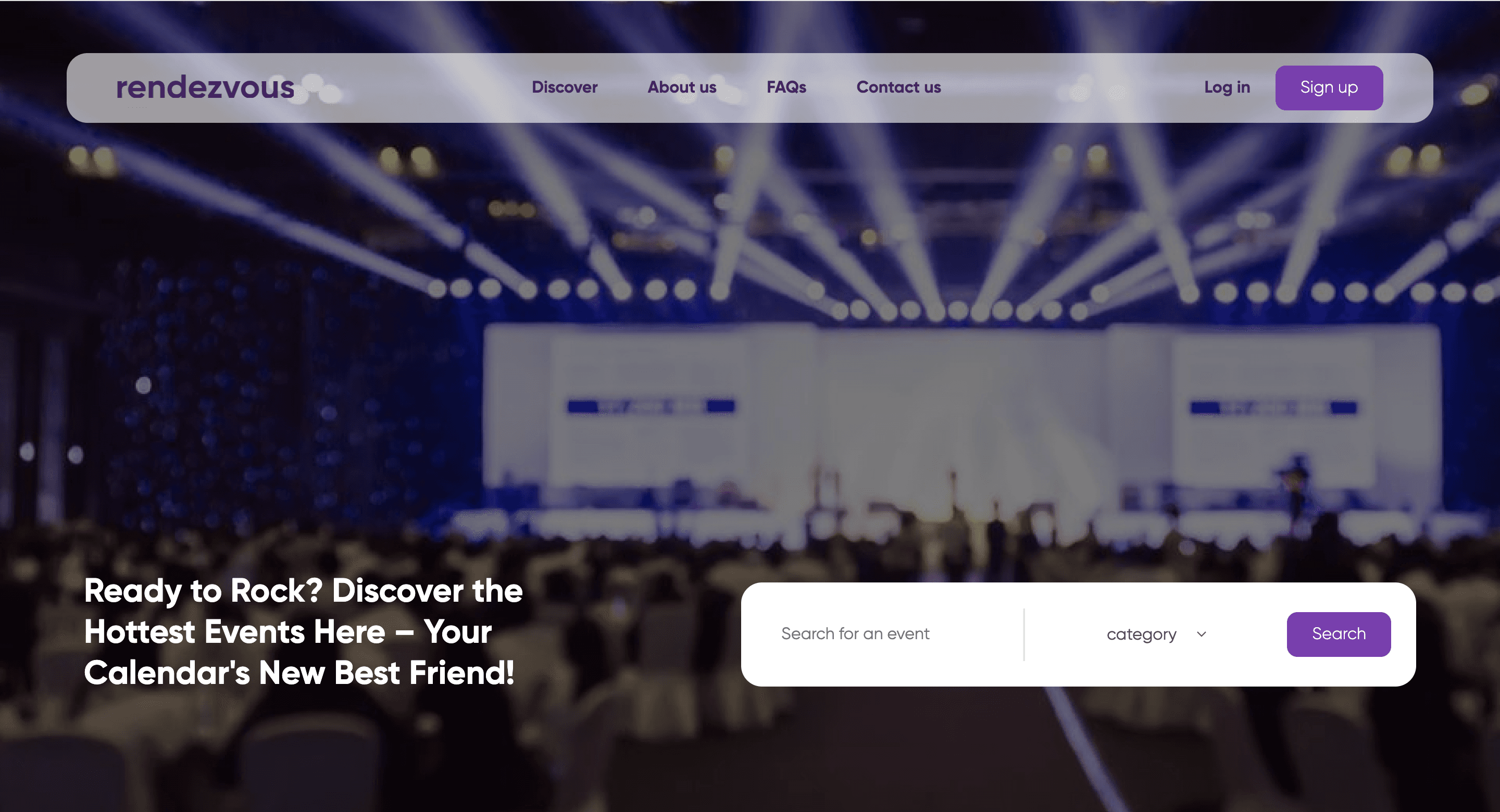
Rendezvous is a merchant-facing event management experience designed around discovering and exploring events.
I worked primarily on the frontend and UI implementation, building the event discovery experience, event detail views, and the interactions that connect them. The application consumes event data from an API and uses that data to dynamically populate the interface.
The project uses dummy events and content, but the frontend was structured to represent a realistic event platform rather than a collection of static screens.
The goal was to create a straightforward event experience where users could quickly browse available events, understand the key information about each one, and move into a more detailed view when they found something they wanted to explore.
The challenge was therefore largely an interface problem: taking event data from an API and turning it into a clear, consistent, and responsive experience.
The interface needed to make event information easy to scan without overwhelming the user, while also maintaining a consistent experience across different events and screen sizes.
I built the frontend experience for the event discovery and detail flow.
The homepage retrieves event data from the API and renders the available events as interactive cards. Each card surfaces the most relevant information at a glance and provides a clear entry point into the event.
When an event is selected, the application navigates to a dedicated event detail view, where additional information about that event is presented.
This creates a simple user journey: Browse events → Select an event → View event details.
Rather than building each page around hardcoded content, the UI is driven by the API response, allowing the same components and layouts to work with different event data.
One of the key parts of the project was connecting the frontend to a REST API.
The API provides the event data consumed by the application, which the frontend then maps into the appropriate UI components.
This meant handling the relationship between the data structure and the interface — deciding which information should appear in an event card, which information belongs on the detail page, and how the UI should respond when different event data is provided.
Working this way also made the application closer to a real production workflow, where frontend interfaces are typically consuming data from external services rather than relying entirely on static content.
I approached the interface with reusable components so that common elements of the event experience could be maintained in one place.
Event cards, event information sections, navigation elements, and other repeated UI patterns were structured as reusable pieces rather than duplicated across pages.
This made it easier to maintain visual consistency throughout the application and allowed the event interface to scale across different pieces of content.
A significant part of the work was translating the event experience into a clear visual hierarchy.
The event listing needed to communicate enough information for users to quickly compare events, while the detail view needed to provide additional context without becoming visually dense.
I focused on:
The interface was designed to work across different viewport sizes rather than treating the desktop layout as the only experience.
Event cards, content sections, navigation, and event details adapt to the available screen space while maintaining the same overall hierarchy and interaction model.
This was particularly important for an event platform, where users may discover or explore events from different devices.
The main challenge was not the complexity of the underlying event data, but turning that data into an interface that felt intentional rather than simply rendering API responses onto a page.
I had to make decisions about how information should be grouped, what should be prioritised on the event card versus the detail page, and how to maintain consistency when the same UI needs to represent different events.
The project also gave me practical experience working with an API-driven frontend, particularly around structuring components around external data rather than designing each page as an isolated static interface.
Rendezvous became a complete frontend experience for browsing and exploring events, with an API-driven homepage, interactive event cards, and dedicated event detail views.
Although the project currently uses dummy event data, the underlying frontend architecture demonstrates how the interface could support a larger event platform with real event information.
For me, the project was an opportunity to focus heavily on frontend architecture, UI implementation, responsive design, reusable components, and API integration, while turning a product concept into a working experience rather than a collection of static designs.
The homepage provides the starting point for exploring available events. Event data is retrieved from the API and rendered into reusable event cards.
Selecting an event takes the user into a dedicated detail view containing additional information about the selected event.
The interface was designed to maintain its hierarchy and usability across different screen sizes.
Next project
Built and shipped with love. Shoutout to Spotify for the jams and Apple Podcasts
for keeping me company through the process!
© Charles Onuoha, All rights reserved.
